Your Saved Content Is Your AI Coding Assistant's Missing Context

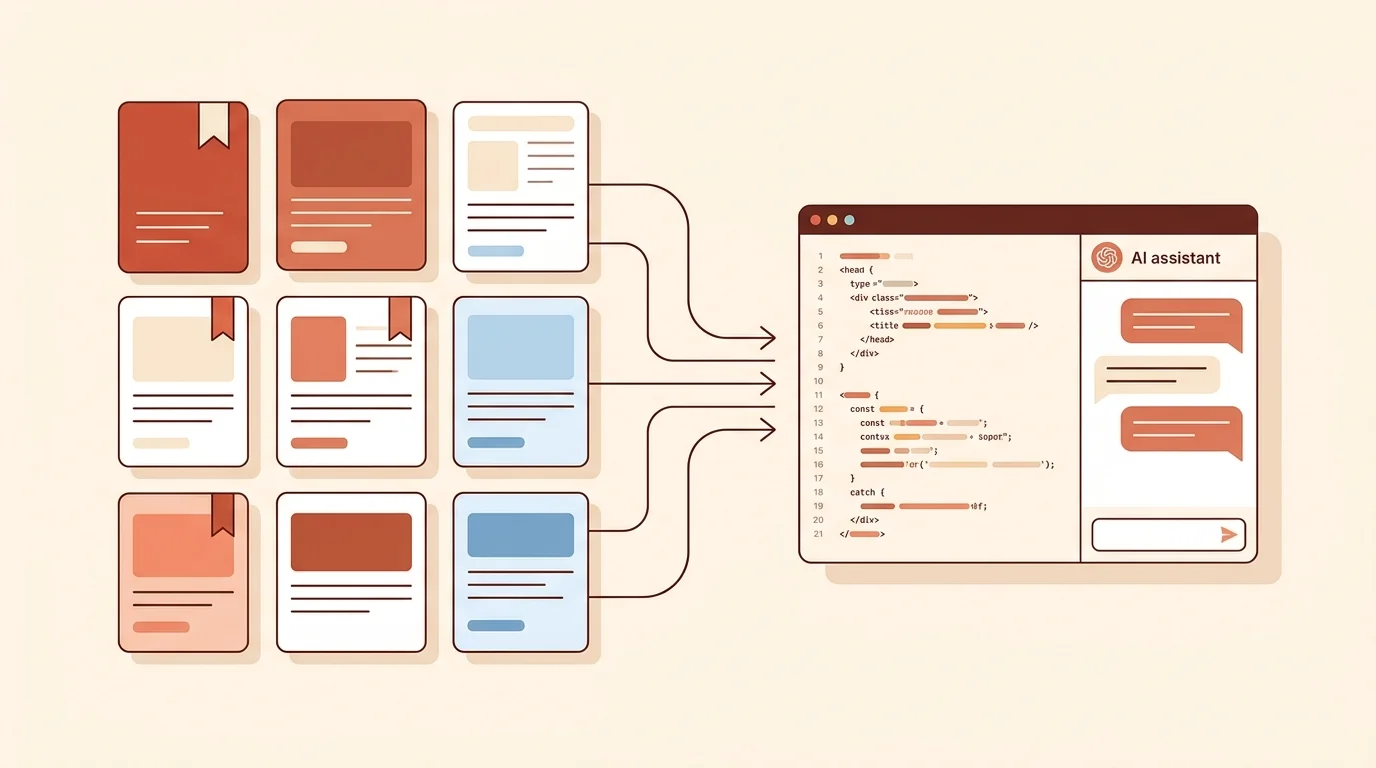
You saved that blog post about database indexing strategies three weeks ago. Last night you bookmarked a GitHub discussion about edge cases in WebSocket reconnection. This morning you kept a Stack Overflow thread about a tricky TypeScript pattern.
Now you are pair-programming with Claude Code, and it is suggesting an approach you know is wrong — because the article you saved last week explained exactly why. But that article is in your bookmarks. Your AI assistant has no idea it exists.
This is the gap almost every developer hits in 2026: your AI coding tools are powerful but context-starved, and the context they need is sitting in your saved content.
The Context Problem in AI-Assisted Coding
AI coding assistants like Claude Code, OpenAI Codex, and Cursor are transforming how developers write code. Claude Code alone has gone from 49,500 monthly searches to over 1,000,000 in just twelve months — a 20x increase that reflects real adoption, not hype.
But these tools share a fundamental limitation: they only know what you tell them in the moment. They can read your codebase, your terminal output, and your conversation history. What they cannot access is the mountain of research, documentation, tutorials, and discussions you have accumulated over weeks and months of learning.
Think about your typical workflow:
- You encounter a problem
- You research solutions — reading blog posts, documentation, GitHub issues, forum threads
- You save the best resources “for later”
- Later, you start coding with an AI assistant
- The AI suggests solutions without the context of everything you researched
Step 5 is where things break down. Your AI assistant is essentially starting from zero on a problem you have already researched extensively.
What Counts as “Context” for AI Coding Tools
Before diving into workflows, it helps to understand what kinds of saved content are actually useful as AI context:
High-value context:
- Technical blog posts explaining why a particular approach works or fails
- API documentation for libraries you are integrating
- GitHub issues and discussions with real-world edge cases
- Architecture decision records (ADRs) from your team
- Stack Overflow answers with nuanced explanations
- Conference talk transcripts or detailed tutorial write-ups
Lower-value context:
- Generic “Top 10 frameworks” listicles
- Marketing pages for tools
- Content you saved but never actually read (a common problem — see our guide to the best content saving apps)
The distinction matters because AI coding tools perform best with specific, technical context rather than broad overviews. A single well-chosen article about PostgreSQL connection pooling pitfalls is worth more than ten “Introduction to Databases” posts.
How AI Coding Tools Use External Context Today
Each major AI coding tool handles external context differently:
Claude Code
Claude Code operates in your terminal with deep access to your project files. You can provide context by:
- Pasting content directly into the conversation
- Referencing files in your project directory that contain relevant information
- Using the
/readcommand to load specific files - MCP (Model Context Protocol) servers that can connect external data sources
The MCP approach is particularly interesting for saved content. An MCP server could theoretically surface your bookmarked articles as searchable context that Claude Code can query on demand.
OpenAI Codex
Codex works as a cloud-based coding agent that can:
- Read files in your repository
- Execute commands in a sandboxed environment
- Access context you provide in the task description
For saved content, the primary integration point is the task description — you paste or reference the relevant research when defining what Codex should build.
Cursor
Cursor provides an @docs feature that indexes documentation you point it to. You can:
- Add documentation URLs that Cursor indexes and searches
- Use
@webto search the internet in real-time - Reference
@filesfrom your project
Cursor’s @docs feature is the closest thing to a “saved content integration” in mainstream AI coding tools — but it is limited to documentation sites, not arbitrary saved articles.
Practical Workflows: Connecting Your Saved Content to AI Tools
Here are workflows that actually work today, ordered from simplest to most sophisticated:
1. The Copy-Paste Workflow (Works Everywhere)
The simplest approach: when you start an AI coding session, open your saved content and paste the relevant parts.
You: I need to implement rate limiting for our API. Here's an article
I saved that explains the token bucket algorithm and its pitfalls:

[paste article content]

Based on this context, help me implement rate limiting for our
Express.js API that handles the burst scenarios described above.
Pros: Works with any AI tool, no setup required Cons: Manual, breaks flow, limited by context window
2. The Research Document Workflow
Before starting a coding session, compile your saved content into a single reference document in your project:
<!-- docs/research/rate-limiting.md -->
# Rate Limiting Research

## Key Findings
- Token bucket preferred over fixed window (see: [saved article 1])
- Redis-based implementation handles distributed scenarios
- Must account for clock drift in multi-node setups

## Relevant Sources
- [Article about token bucket pitfalls] - Key takeaway: ...
- [GitHub issue about Redis race condition] - Key takeaway: ...
- [Conference talk notes] - Key takeaway: ...
Then reference this file in your AI coding session:
You: Read docs/research/rate-limiting.md for context, then help me
implement the rate limiting middleware.
Pros: Organized, reusable, version-controlled Cons: Requires upfront effort to compile
3. The MCP Server Workflow (Claude Code)
For Claude Code users, MCP servers offer the most seamless integration. An MCP server can expose your saved content as a searchable tool:
// Conceptual MCP server for saved content
server.tool("search_saved_content", {
  description: "Search the user's saved articles and bookmarks",
  parameters: { query: { type: "string" } },
  handler: async ({ query }) => {
    // Search saved content by topic
    const results = await savedContentAPI.search(query);
    return results.map(r => ({
      title: r.title,
      url: r.url,
      excerpt: r.excerpt,
      savedDate: r.date
    }));
  }
});
With this setup, Claude Code can automatically search your saved content when it needs additional context — no manual pasting required.
Pros: Automatic, seamless, scales with your library Cons: Requires MCP server setup, currently Claude Code only
4. The @docs Workflow (Cursor)
If you use Cursor, you can add frequently-referenced documentation to its index:
- Open Cursor Settings > Features > Docs
- Add URLs of documentation you reference often
- Use
@docsin your prompts to search indexed content
This works well for official documentation but less well for blog posts and informal resources.
Why Your Content Saving App Matters
The quality of these workflows depends heavily on how well your saved content is organized. If your bookmarks are a chaotic dump of hundreds of unsorted links, finding the right context for an AI coding session is painful.
This is where the choice of content saving tool becomes a developer productivity decision, not just a personal preference:
What makes a saving app AI-friendly:
- Tagging and categorization: Find the right saved content quickly when you need context for a specific coding task
- Full-text search: Search across all your saved content, not just titles
- Cross-platform saving: Save from Twitter threads, GitHub discussions, blog posts, and documentation — all in one place
- Export and API access: Get your content out in formats that AI tools can consume
What most bookmark managers get wrong:
- No categorization beyond folders
- No search across saved content
- Limited to web bookmarks (no tweets, no social content)
- No API for programmatic access
If you are using Saverything, your saved content is already organized with automatic categorization, full-text search, and cross-platform support — which makes it significantly easier to find and feed the right context to your AI coding tools.
The Future: AI Coding Tools Will Want Your Knowledge Graph
The current state of “paste content into AI” is primitive. Here is where things are heading:
Short term (2026):
- More AI coding tools will support MCP or similar protocols
- Content saving apps will add “export for AI” features
- Developers will build custom MCP servers for their saved content
Medium term (2027+):
- AI coding tools will natively integrate with content libraries
- Your saved content becomes a persistent “memory” layer for AI assistants
- The line between “research” and “coding” phases blurs completely
The developer who saves content deliberately and makes it accessible to AI tools will have a compounding advantage — every article saved is a piece of context that makes future AI-assisted coding sessions more effective.
Getting Started
If you want to start connecting your saved content to your AI coding workflow today:
-
Audit your saved content. Open your bookmarks, your saved tweets, your Saverything library. How much technical content have you accumulated? Is it searchable?
-
Start the research document habit. Before your next coding session, spend 5 minutes pulling relevant saved content into a
docs/research/file in your project. -
Try the MCP approach. If you use Claude Code, explore setting up an MCP server that can access your saved content. The Model Context Protocol documentation has examples to get started.
-
Save with intent. When you save a technical article from now on, ask yourself: “Will I need this as context for a future coding session?” If yes, tag it accordingly.
Your saved content is not just a reading list. It is the knowledge layer your AI coding assistant is missing. The sooner you bridge that gap, the more effective your AI-assisted development workflow becomes.